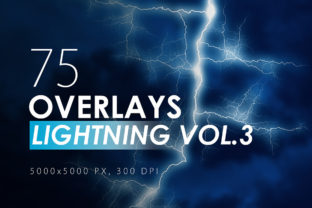
75 Lightning Overlays Vol. 3: Instant High-Energy Effects
You know the feeling. You’ve got a great photo or a solid design layout, but it lacks that specific punch—that raw, electric energy that makes a viewer stop scrolling. Maybe it’s a stormy landscape that needs more drama, or perhaps you’re designing a thumbnail for a gaming channel that needs to scream "action." Adding realistic atmospheric effects manually is time-consuming and often requires advanced compositing skills. This is where having a high-quality library of design assets becomes a game-changer. 75 Lightning Overlays Vol. 3 is a collection specifically engineered to solve this problem, offering a massive library of high-voltage visual effects that can be dragged and dropped into almost any project.
The Power of 5000x5000 Resolution
When working with design assets like overlays, resolution is the single most important factor that separates amateur work from professional-grade visuals. Many free overlays you find online are low-resolution, which means the moment you try to stretch them over a high-definition photo or a print project, they pixelate and lose their realism. 75 Lightning Overlays Vol. 3 is built differently. With a staggering 5000x5000 pixel resolution, these assets are prepared for the most demanding workflows.
What does this mean in practical terms? It means you can use these overlays for massive banner prints, high-DPI editorial spreads, or zoom in on specific details of a bolt without losing clarity. For digital creators, this high resolution ensures that the lightning strikes look sharp and defined on 4K monitors and Retina screens. Whether you are working on a small social media graphics post or a large-scale packaging design, the fidelity of these overlays ensures your final product looks crisp, professional, and visually compelling.
Versatility in Visual Storytelling
While the primary use case might seem obvious—adding storms to weather photos—the versatility of 75 Lightning Overlays Vol. 3 extends far beyond meteorology. As a creative professional, I look for assets that can be adapted to fit various brand identities and project types. This collection is particularly effective for:
- Gaming and Entertainment: Creating dynamic headers for esports teams or stream overlays that need a high-octane vibe.
- Music Promotion: Designing album covers or gig posters for rock, metal, or electronic genres where the aesthetic relies on intensity and contrast.
- Fantasy and Sci-Fi Art: Adding magical energy effects or supernatural elements to digital illustrations.
- Marketing and Advertising: Drawing attention to a "shocking" sale, a new product launch, or a high-energy event announcement.
The collection includes 75 distinct variations. This variety is crucial because repetition is the enemy of good design. Having access to different bolt structures, thicknesses, and branching patterns allows you to match the specific energy of the overlay to the composition of your underlying image. You aren't just pasting the same bolt over and over; you are curating the right effect for the specific mood you want to set.
Practical Workflow Tips for Realistic Compositing
Simply placing an overlay on top of an image rarely results in a realistic effect. To make 75 Lightning Overlays Vol. 3 look like they belong naturally in your scene, you need to integrate them using standard image editing techniques. Here is a practical guide to getting the most out of these assets:
Blending Modes are Your Best Friend
The most critical step is changing the blending mode of your overlay layer. Since these overlays usually come on a black background, you will want to use modes like Screen or Linear Dodge (Add). These modes remove the black pixels and leave only the light information, allowing the lightning to blend seamlessly with your photo's lighting.
Layering for Intensity
Sometimes a single bolt isn't enough to convey the power you need. Don't be afraid to duplicate layers to make the effect more intensive. By stacking multiple overlays and slightly offsetting them or changing their opacity, you can create a denser, more chaotic storm atmosphere. You can also combine effects together; mix a horizontal strike with a vertical one to create a complex web of electricity.
Refining the Look with Filters
Native filters in software like Photoshop can take these overlays to the next level.
- Sharpening: Sometimes, overlays can look a bit soft depending on the background. Use Filter – Sharpen – Unsharp mask to make the overlay more sharpen. This brings out the fine details in the plasma channels of the bolt.
- Motion and Blur: If your background image suggests movement (like a car driving fast or a windy night), a static lightning bolt might look out of place. Use Filter – Blur – (Blur of your choice) to add more motion & blur effects. A Motion Blur can simulate the camera shaking from the thunder, while a Gaussian Blur can push the bolt into the background depth.
Impact on Brand Identity and Engagement
For marketers and brand strategists, visual cues trigger immediate emotional responses. Incorporating high-energy elements like those found in 75 Lightning Overlays Vol. 3 can significantly alter how an audience perceives a message. A brand that wants to appear powerful, fast, or transformative can use these visual metaphors to reinforce those traits.
However, context is everything. Using these overlays in logo design requires a delicate touch—usually, they work better as supporting elements in the background rather than part of the logomark itself. In editorial design, such as a magazine cover, a lightning effect can serve as a strong focal point that guides the reader's eye toward the headline typography. It is about using the visual hierarchy to your advantage; the lightning acts as a dynamic frame or accent that supports the modern typography and content rather than overwhelming it.
Final Thoughts on Asset Selection
Choosing the right creative font or visual asset is about finding a tool that fits your creative vision. 75 Lightning Overlays Vol. 3 offers a robust set of tools for anyone looking to inject energy into their visuals. It is a versatile, high-resolution collection that respects the needs of professional designers while remaining accessible to hobbyists and content creators. Whether you are finalizing a web design layout or touching up a photo for a client, having these 75 options at your disposal ensures you are always ready to add that spark of electricity.