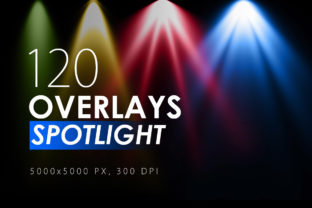
120 Colorful Spotlight Overlays: Elevate Your Visuals
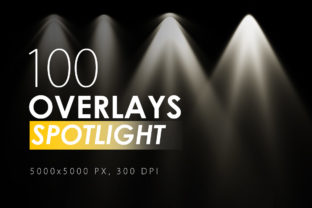
Every image has a story, but sometimes the lighting just doesn't cooperate. Whether you're a photographer dealing with flat studio lighting, a graphic designer looking to add depth to a composite, or a content creator wanting to make a social media post pop, you know the struggle. Standard lighting tools can feel limiting. This is where the 120 Colorful Spotlight Overlays collection steps in, offering a massive library of high-resolution light effects that can transform an ordinary shot into something dynamic and professional. These aren't just generic light leaks; they are carefully crafted overlays designed to simulate realistic spotlight effects with a vibrant, colorful twist.
Understanding the Power of Light Overlays
At its core, a light overlay is a design asset used to add artificial light sources to an image during post-processing. The 120 Colorful Spotlight Overlays set provides exactly what the name suggests: 120 distinct, colorful spotlight effects. The files are delivered as high-resolution .jpeg images at an impressive 5000x5000 pixels. This massive resolution is crucial for modern creative work. It ensures that whether you are working on a small social media graphic or a large-scale print poster, the overlay will remain sharp and pixel-perfect. The "colorful" aspect is key here. These aren't just white or neutral lights; they include a spectrum of hues—blues, magentas, oranges, greens, and more—allowing you to match the overlay to your brand's color palette or the mood of your project. The personality of these overlays is bold and dramatic, perfect for adding a sense of energy, focus, or artistic flair.
Where to Use These Design Assets
The versatility of these overlays makes them a valuable tool across numerous creative fields. For photographers, they are a lifesaver for portrait photography, especially in low-light conditions or to add a dramatic rim light effect. Imagine a portrait where the subject is softly illuminated by a purple spotlight from the side, creating depth and separation from the background. For graphic designers and marketers, these overlays are perfect for creating eye-catching social media graphics, website hero images, or digital advertisements. A product photo can be instantly elevated with a warm, golden spotlight to make it look more premium. In editorial design and publishing, they can be used to create striking magazine covers or chapter openers. Even hobbyists and crafters can use them to add a professional touch to digital scrapbooking projects or personalized invitations.
A Practical Guide to Using Your Overlays
Using the 120 Colorful Spotlight Overlays is straightforward, even for those new to photo editing. The process relies on a fundamental technique in software like Adobe Photoshop, Affinity Photo, or even some advanced mobile apps. The instructions are simple: drop the overlay .jpeg file on top of your image and set the layer blending mode to Screen. The "Screen" blending mode is designed to lighten an image based on the brightness of the layer. It effectively removes the black background of the overlay file, leaving only the colorful spotlight effect visible on your photo.
However, the real magic lies in the customization. Here are some professional tips to get the most out of your overlays:
- Intensify the Effect: If a single overlay isn't strong enough, simply duplicate the overlay layer one or more times. This will boost the brightness and color saturation of the spotlight.
- Create Complex Lighting: Don't stop at one overlay. Combine different effects together. You could use a blue spotlight from the left and a soft pink glow from the right to create a multi-colored, cinematic lighting setup.
- Add Sharpness or Blur: The overlays are delivered sharp, but you can customize them. Use Filter – Sharpen – Unsharp Mask to make the edges of the light beam crisper. Conversely, use Filter – Blur – (Blur of your choice) to soften the light or add a sense of motion blur, perfect for a dynamic, action-oriented feel.
- Adjust and Mask: After applying the overlay, use a soft brush on a layer mask to erase parts of the effect that you don't want, such as light falling on a subject's face in an unflattering way. You can also adjust the layer's opacity to control the overall intensity.
Integrating Light into Your Brand Identity
Consistent use of specific color overlays can become a recognizable part of your brand identity. For example, a tech startup might consistently use cool blue and cyan spotlights in their web design and marketing materials to evoke feelings of innovation and trust. A lifestyle blogger might favor warm, golden overlays to create a cozy, inviting aesthetic across their Instagram feed. By selecting a few favorite overlays from the 120 Colorful Spotlight Overlays pack and using them consistently, you create a visual shorthand that your audience will begin to associate with your brand. This is a subtle yet powerful way to enhance brand recognition and professionalism without overhauling your entire design system. Think of these overlays not just as one-off effects, but as part of your broader toolkit of design assets, alongside your chosen premium font and color palette.
Ultimately, these overlays are about empowering your creativity. They provide a simple way to control light and mood in your digital projects, saving you time and expanding your artistic possibilities. Whether you're enhancing a client's portrait, designing a logo design mockup, or creating content for your small business, having a library of 120 high-quality, colorful spotlights at your disposal is an invaluable resource. It allows you to experiment, find what works best for your style, and consistently produce visuals that capture attention and communicate your intended message effectively.